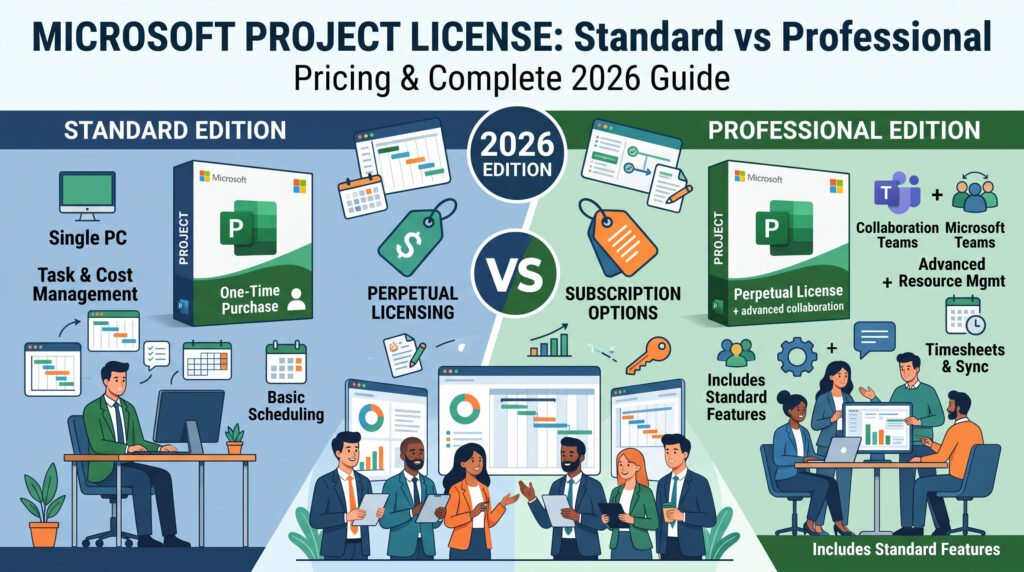
In today’s hyper-competitive and fast-paced corporate environment, managing complex timelines, allocating critical resources, balancing enterprise budgets, and delivering successful outcomes on schedule is more challenging than ever. To maintain absolute control over these variables, project managers and business leaders require robust, industry-standard software. For over three decades, Microsoft Project has served as the undisputed gold standard for professional project management. However, navigating Microsoft’s modern software ecosystem to purchase the correct microsoft project license can be an incredibly confusing endeavor for many organizations.
With Microsoft aggressively pushing its cloud-based Microsoft 365 subscriptions (such as Project Plan 1, Plan 3, and Plan 5), many businesses mistakenly assume they are forced into paying expensive, recurring monthly fees forever. This is simply not true. Microsoft continues to offer standalone, perpetual desktop versions of their software. By securing a perpetual microsoft project license, businesses can own the software outright via a single, one-time payment, completely bypassing the subscription trap.
In this massive, definitive 2026 guide, we will explore absolutely everything you need to know before securing your software. We will conduct a deep-dive comparison between Project Standard and Project Professional, analyze the long-term financial mathematics of perpetual ownership versus cloud subscriptions, explore the core features that make this software indispensable, detail the strict hardware requirements, and provide a comprehensive, step-by-step tutorial on how to safely download, install, and activate your genuine product key via Druino.
1. The Evolution of Project Management Software
To truly appreciate the value of a standalone microsoft project license, we must first look back at the evolution of project management methodologies and the software designed to support them. In the early days of corporate planning, project managers relied on physical whiteboards, manual spreadsheets, and complex physical Gantt charts. The introduction of the first Microsoft Project software revolutionized the industry by digitizing dependencies, automating critical path calculations, and instantly recalculating timelines when a single task was delayed.
As the internet evolved, the software industry shifted heavily toward Software-as-a-Service (SaaS) models. Microsoft introduced Project Online and various cloud-centric plans designed for massive, globally distributed enterprise teams requiring constant real-time synchronization. While these cloud platforms are powerful, they are often total overkill for independent project managers, small-to-medium businesses (SMBs), construction contractors, and local engineering firms.
These users do not need to host massive project portfolios on cloud servers. They simply need a powerful, locally installed application to build schedules, track costs, and print reports. This is precisely why the demand for a permanent microsoft project license remains incredibly high. It offers a return to digital ownership: you pay for the tool once, you install it on your workstation, and you utilize its full processing power offline, without relying on an internet connection or worrying about subscription expirations.

2. What Exactly Is a Perpetual Microsoft Project License?
When IT procurement managers and business owners begin searching for software, they are often bombarded with marketing materials for cloud subscriptions. It is vital to understand the structural difference between “renting” software and owning a perpetual microsoft project license.
A perpetual license means that you are purchasing the rights to use the desktop software version (such as Project 2024 or Project 2021) indefinitely.
Key Characteristics of Perpetual Ownership:
- One-Time Upfront Investment: You pay a single purchase price at the checkout counter. There are absolutely no automatic renewals, no hidden monthly maintenance fees, and no unexpected credit card charges a year down the line.
- Full Desktop Processing Power: A standalone microsoft project license installs directly onto your local hard drive. It utilizes your computer’s local CPU and RAM to calculate massive, multi-thousand-line schedules instantly, rather than relying on web browser performance or server-side cloud rendering.
- Absolute Offline Autonomy: If you are a construction manager working on a remote site with zero internet connectivity, or a defense contractor working in a secure, air-gapped facility, cloud software is useless. A perpetual license guarantees that your software opens and operates flawlessly without ever needing to phone home to a cloud server to verify your subscription status.
- Long-Term Security and Stability: When you purchase a retail microsoft project license, your software is fully supported by Microsoft’s lifecycle policy. You will receive critical security patches, bug fixes, and compatibility updates directly through the Windows Update service for years to come.
3. Microsoft Project Standard vs. Project Professional: A Deep Dive
The most important decision you will make during your software procurement process is selecting the correct edition. A perpetual microsoft project license is primarily divided into two distinct tiers: Standard and Professional. Purchasing the wrong edition can result in missing critical enterprise features or overspending on tools your team will never use.
Let us break down the exact differences between these two powerful editions.
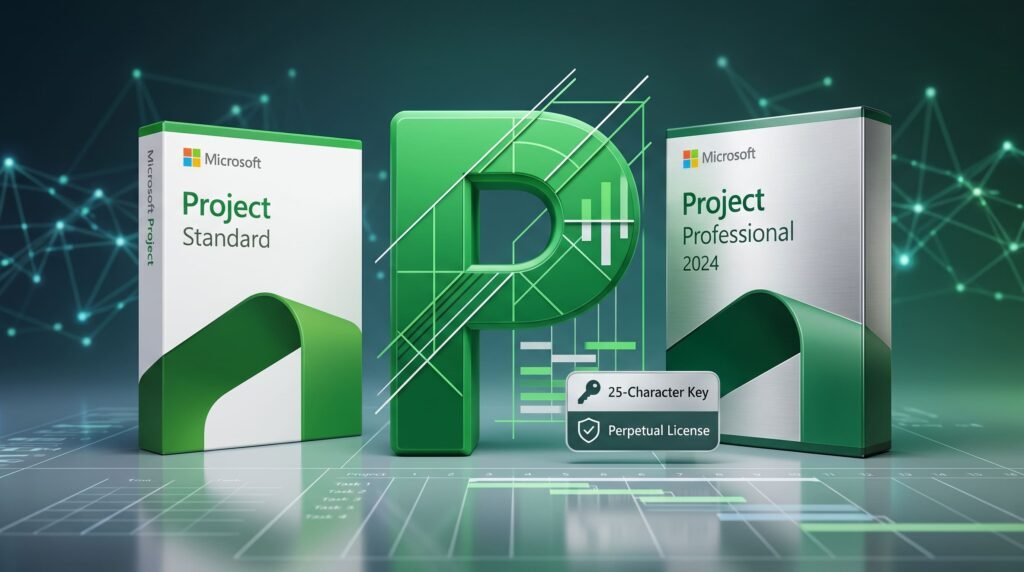
Microsoft Project Standard 2024
The Standard edition is engineered specifically for individual project managers, independent consultants, small business owners, and departmental leads who manage projects in a localized, standalone capacity.
- Core Scheduling Engine: Includes the complete, robust scheduling engine that Microsoft is famous for. You can build intricate task lists, define complex Finish-to-Start or Start-to-Start dependencies, and automatically calculate the critical path of your project.
- Advanced Visualizations: Offers fully customizable Gantt charts, network diagrams, task boards, and timeline views that make presenting data to stakeholders incredibly easy.
- Cost and Budget Tracking: Allows managers to assign standard rates, overtime rates, and per-use costs to physical materials and human resources, automatically calculating the financial baseline of the project.
- The Limitation: The primary limitation of a Standard microsoft project license is its inability to synchronize with enterprise servers. It operates strictly as a standalone application. It cannot publish plans to Microsoft Project Server, it cannot sync with SharePoint task lists, and it lacks enterprise-wide resource leveling.
Microsoft Project Professional 2024
The Professional edition is the ultimate heavyweight champion of project management. It is designed for senior project managers, enterprise PMOs (Project Management Offices), large construction firms, and organizations requiring deep team collaboration.
- Everything in Standard: Includes every single feature, report, and scheduling tool found in the Standard edition.
- Project Server and Online Synchronization: The most critical reason to upgrade to a Professional microsoft project license is connectivity. Professional natively connects to Microsoft Project Server and Project Online. This allows you to publish your local desktop schedules to the corporate server, share them with executives, and collect timesheet updates directly from your team members.
- Enterprise Resource Pool Management: In a large corporation, an engineer might be assigned to three different projects managed by three different managers. Project Professional allows you to connect to a centralized Enterprise Resource Pool to see if an employee is overallocated across the entire company, not just on your specific schedule.
- “What-If” Inactive Task Scenarios: Professional includes the highly coveted “Inactive Tasks” feature. This allows a manager to highlight a sequence of tasks and toggle them to “Inactive.” The software immediately recalculates the entire project timeline and budget as if those tasks were deleted, allowing you to run risk analysis and “What-If” scenarios without permanently destroying your carefully built dependencies.
- SharePoint Task Sync: Allows you to seamlessly synchronize your project tasks with a SharePoint team site, enabling team members to view and update their task progress via a web portal without needing their own microsoft project license.
4. Cost Analysis: The Financial Mathematics of Subscriptions vs. Lifetime Keys
To understand why so many companies actively seek out a perpetual microsoft project license, we must perform a strict financial analysis comparing the Total Cost of Ownership (TCO) over a standard 5-year corporate hardware lifecycle.
Scenario A: The Cloud Subscription Trap (Project Plan 3)
If you opt for the standard cloud-based desktop client, known as Project Plan 3, Microsoft charges approximately £25.00 per user, per month.
- Year 1 Cost: £300.00 per user.
- Year 3 Cost: £900.00 per user.
- Year 5 Cost: £1,500.00 per user.
- The Danger: In this scenario, your organization spends £1,500 over five years. Worse, you possess zero equity in the software. If your company faces a budget cut in Year 6 and you cancel the subscription, the software immediately locks you out. You can no longer create or edit your own proprietary project files.
Scenario B: The Perpetual Desktop Route (Druino Lifetime Key)
Now, consider the mathematics of purchasing a standalone, perpetual microsoft project license (such as Project Professional 2024) from a trusted retailer like Druino. The upfront cost is a single payment, typically ranging between £12 and £30 depending on retail promotions and the specific edition.
- Year 1 Cost: £30.00 (Estimated one-time maximum fee).
- Year 3 Cost: £0.00 additional fees.
- Year 5 Cost: £0.00 additional fees.
- The Advantage: By purchasing a perpetual microsoft project license, your organization saves a staggering £1,470 per user over a five-year period. Furthermore, you own the software permanently. It will never expire, it will never lock you out of your files, and it will never require a renewal fee.
For IT departments outfitting a team of 10 project managers, choosing a perpetual microsoft project license over a subscription can save the company upwards of £14,700 over five years, representing a massive victory for budget optimization.
5. Top Features That Make Microsoft Project the Industry Standard
Whether you choose the Standard or Professional edition, applying your genuine microsoft project license unlocks an unparalleled suite of tools. Microsoft Project is not just a digital to-do list; it is a complex mathematical scheduling engine. Let us explore the core features that justify this investment.
5.1 Automated Scheduling and Critical Path Analysis
The beating heart of the software is its automated scheduling engine. You input the tasks, define the durations, and link them together using dependencies (e.g., “Pour Concrete” must finish before “Build Framework” can start). The software automatically calculates start and finish dates for the entire project. More importantly, it highlights the Critical Path—the specific sequence of tasks that directly dictate the final completion date of the project. If any task on the critical path is delayed, the entire project is delayed.
5.2 Dynamic Resource Management
When you deploy a microsoft project license, you gain absolute visibility into your workforce and material utilization. You can create a detailed resource sheet listing human workers, heavy machinery, and consumable materials. By assigning these resources to specific tasks, the software automatically calculates daily utilization rates. If you accidentally assign a single programmer to work 16 hours in a single day, the software instantly flags this overallocation in red, prompting you to utilize the Resource Leveling tool to resolve the conflict.
5.3 Multiple Baselines for Variance Tracking
A project rarely goes exactly according to the initial plan. A crucial feature unlocked by your microsoft project license is the ability to save up to 11 different Baselines. A baseline takes a “snapshot” of your original planned schedule, costs, and work hours before the project begins. As reality sets in and tasks take longer than expected, you can track the “Actuals” against the “Baseline” to instantly calculate schedule variance and cost overruns, providing critical data for stakeholder reporting.
5.4 Comprehensive Built-In Reporting
Communication is the most critical aspect of project management. Project 2024 features a robust reporting dashboard that eliminates the need to export data to Excel manually. With a few clicks, you can generate Burndown charts, Cost Overrun reports, Resource Overview dashboards, and visual Milestones reports. These visually striking, professional reports are presentation-ready and can be easily copied directly into PowerPoint or Word to update executive boards.
5.5 Agile and Kanban Board Integration
While historically known for traditional Waterfall project management, the modern microsoft project license natively supports Agile methodologies. Software development teams can switch their view from a traditional Gantt chart to an interactive Task Board. This Kanban-style interface allows teams to drag and drop tasks across customizable columns (e.g., Backlog, Next Up, In Progress, Done), perfectly bridging the gap between rigid corporate scheduling and modern agile workflows.
6. Hardware and Operating System Requirements
Before you commit to your purchase and acquire your microsoft project license, verify your computer meets the official requirements detailed in the Microsoft 365 and Office System Requirements Documentation.
Minimum System Requirements for Project 2024 / 2021:
- Operating System: Windows 11 or Windows 10. (Note: Microsoft Project is exclusively a Windows application. A standard microsoft project license will not run natively on macOS. Apple users must utilize a virtual machine environment such as Parallels Desktop or VMware Fusion running a licensed copy of Windows).
- Processor Architecture: A 1.6 GHz or faster, dual-core processor (64-bit highly recommended for handling complex datasets).
- System Memory (RAM): 4 GB of RAM is the absolute minimum, though 8 GB to 16 GB of RAM is strongly recommended if you are calculating projects containing thousands of line items and complex resource pools.
- Storage Space: 4.0 GB of available hard disk space (SSD storage is highly recommended for faster file load times).
- Display Output: A monitor capable of 1280 x 768 resolution.
- Graphics Hardware: Hardware acceleration requires DirectX 9 or later, with WDDM 2.0 or higher for Windows 10/11 environments.
7. How to Download, Install, and Activate Your Software
Many users feel intimidated by the prospect of installing enterprise-grade software independently. However, the modern deployment process is incredibly streamlined. Once you purchase your genuine microsoft project license, follow these exact, step-by-step instructions to get your software running perfectly.

Step 1: Secure Your Genuine Product Key
First, navigate to Druino and purchase the edition that best fits your needs (Standard or Professional). Within seconds of your payment clearing, you will receive an email containing your unique, 25-character microsoft project license key.
Step 2: Bind the License to Your Microsoft Account
Do not download setup files from random third-party tech blogs or torrent sites. Always use the official Microsoft infrastructure.
- Open your web browser and go to Microsoft Setup Portal.
- Sign in using your existing Microsoft account (Outlook, Hotmail, Xbox Live) or create a new profile for your business.
- When prompted, enter the 25-character microsoft project license key you received from Druino.
- Select your geographic region and preferred language.
- Microsoft’s servers will validate the key in real-time. Once accepted, this lifetime license is permanently bound to your account. Even if you lose your physical computer in a fire, your software equity is safely stored in the cloud.
Step 3: Download and Execute the Installer
- After validation, you will be directed to your Microsoft Account dashboard. Locate your new software under the “Services & Subscriptions” tab and click Install.
- A small executable setup file will download to your machine.
- Close all other running applications and double-click the setup file. The Microsoft deployment engine will automatically download the necessary core files and install the software in the background.
Step 4: Final Activation
- Once the installation is complete, click your Windows Start menu and launch Project.
- The software will prompt you to accept the End User License Agreement (EULA).
- You may be asked to sign in to your Microsoft account one final time to verify your identity.
- Upon signing in, the software will automatically detect your bound microsoft project license, activate the product, and unlock all premium offline features permanently.
8. Avoiding the Gray Market: The Hidden Dangers of Unauthorized Licenses
As you scour the internet searching for the best deal on a microsoft project license, you will inevitably encounter websites, auction platforms, and forum posts offering the software for unbelievably low prices, sometimes as low as £5 or £10. It is absolutely crucial for your cybersecurity and legal compliance that you understand the severe dangers of these “gray market” offerings.
The KMS Activator Trojan Threat
Many ultra-cheap listings do not actually sell you a legitimate 25-character retail product key. Instead, they provide you with a modified setup package bundled with an illegal KMS (Key Management Service) emulator. These malicious scripts hack your Windows registry, tricking the operating system into believing it is communicating with a verified corporate server. The danger here is immense: these KMS cracks are frequently bundled with severe malware, rootkits, and keyloggers. By attempting to save a few pounds on a fake microsoft project license, you risk exposing your entire corporate network to ransomware attacks and catastrophic data breaches.
The Stolen Volume License Trap
Other illegitimate sellers purchase a single Volume License (MAK key) intended for a corporation with thousands of employees, and then illegally resell that single key to thousands of individual buyers across the internet. When you attempt to activate this type of fraudulent microsoft project license, it may initially work. However, Microsoft conducts routine telemetry audits. When they detect that a single corporate key is being activated by thousands of unrelated IP addresses worldwide, they permanently blacklist the key. Your software will instantly deactivate, locking you out of your critical project files precisely when you need them most.
The Importance of Genuine Retail Licenses
To protect your business data, ensure the stability of your operating system, and remain fully compliant with software piracy laws, you must purchase a genuine Retail license. Retail keys are specifically generated for single-user or small-business deployment, guarantee perpetual lifetime activation, and are fully supported by official Microsoft updates. This is the exact, uncompromised tier of microsoft project license guaranteed by Druino.
9. Why Purchase Your Software Through Druino?
When you make the strategic decision to optimize your project management workflow, choosing a trustworthy, legally compliant software distributor is just as vital as choosing the software itself. Druino has built a pristine reputation as a premier destination for UK professionals seeking legitimate digital software solutions.
The Druino Customer Advantage:
- 100% Genuine, Audit-Compliant Licenses: Every single microsoft project license sold by Druino is sourced through authorized, legitimate supply chains. They validate directly on Microsoft’s official
setup.office.comportal. There are no KMS cracks and no illegal volume key resales. - Instant Digital Delivery: In the fast-paced business world, waiting days for a physical box to arrive via courier is unacceptable. The exact second your secure payment is processed, your 25-character product key, comprehensive download instructions, and official tax invoice are delivered instantly to your email inbox.
- Guaranteed Lifetime Ownership: When you purchase from Druino, you pay exactly one time. You are protected by a lifetime activation guarantee, ensuring you never face recurring monthly fees or unexpected subscription lockouts.
- Dedicated UK-Based Technical Support: Software deployment can occasionally present unforeseen local network or hardware challenges. Druino stands behind its products with dedicated, expert customer support. If you require assistance binding your microsoft project license or navigating the installation wizard, direct help is available via phone (
+44 20 8040 4209) and email (support@druino.co.uk).
10. Comprehensive Frequently Asked Questions (FAQ)
To ensure this guide serves as the ultimate resource, we have compiled detailed answers to the most common questions professionals ask before purchasing their software.
Can I install my license on both my office desktop and my travel laptop?
No. A standard retail microsoft project license is bound by a strict one-device, one-installation policy. The license is legally valid for a single Windows PC. If you require the software on both a desktop and a laptop simultaneously, you must purchase two separate product keys.
If my computer’s motherboard fails, do I lose my software?
Absolutely not. Because your genuine retail microsoft project license is digitally bound to your personal or business Microsoft Account (rather than locked to the physical motherboard like an OEM key), it is fully transferable. If your PC dies, or if you simply purchase a new workstation three years from now, you can uninstall the software from the dead machine, log into your Microsoft Account on the new PC, and reinstall the software at no additional cost.
Is Microsoft Project included in my standard Microsoft 365 or Office 2024 suite?
No. This is a very common misconception. Microsoft Project is considered a highly specialized, premium enterprise application. It is never included in standard bundles like Office 2024 Home & Business, Office 2024 Professional Plus, or standard Microsoft 365 Family plans. You must always purchase a dedicated microsoft project license separately.
Can Project 2024 open older files from Project 2016 or 2019?
Yes. The software features complete backward compatibility. You can easily open, edit, and save .mpp files created in legacy versions of the software. Furthermore, you can save your new 2024 schedules in legacy formats if you need to share them with clients or contractors who have not yet upgraded their own systems.
Does a standalone license require a constant internet connection?
No. One of the greatest benefits of a perpetual microsoft project license is its offline capability. You only require an internet connection once during the initial download and activation phase. After the software is authorized, you can disconnect from the internet entirely and build complex schedules for months without the software ever demanding to connect to the cloud.
Conclusion: Take Absolute Control of Your Project Portfolios
In the complex world of modern business, attempting to manage multi-million-pound budgets, coordinate dozens of human resources, and track hundreds of interdependent tasks using basic spreadsheets is a recipe for disaster. Upgrading to professional-grade scheduling software is not just a convenience; it is a critical business necessity.
However, you do not need to subject your organization to the endless financial drain of cloud-based SaaS subscriptions. By securing a perpetual, standalone microsoft project license, you reclaim ownership of your digital infrastructure. You gain access to the world’s most powerful critical path scheduling engine, advanced resource leveling algorithms, and stunning visual reporting dashboards—all for a single, highly economical upfront payment.
Stop renting your software and start owning your success. Empower your project managers, streamline your corporate workflows, and protect your company’s bottom line by investing in permanent, subscription-free tools.
Explore the full range of genuine, lifetime software solutions today by visiting the Druino Project Management Catalog. Secure your permanent microsoft project license right now, benefit from instant UK digital delivery, and begin building flawless project schedules today.